How I Built a Working AI-Maintained Second Brain
July 2026
A few weeks ago, I didn’t know a system like this was realistically possible. Today, I have it running on a dedicated mini-PC, with the AI actively maintaining my Obsidian vault according to my custom guidelines. Here’s how it started.

The spark came from an X Article discussing how people increasingly need help remembering and organizing information in an age of scattered notes, browser tabs, and forgotten chats. The core frustration it highlighted was that AI tools forget. They don’t build on previous work.
A few days later, another post took the idea further, referencing Andrej Karpathy’s vision of using an LLM as the backend maintainer of a structured Obsidian vault — with the AI handling organization, linking, and long-term maintenance, while the user focuses on feeding it good material.
That specific framing made it clear this wasn’t just another chat tool. It was something that could actually compound over time. I decided to build it.
Why normal AI use has limits
Most of us use AI through chat windows. Every conversation starts fresh, and anything useful usually disappears when you close the tab. There’s no memory of previous decisions, no version history, and no reliable way for the AI to build on what came before.
That approach works fine for quick questions, but it breaks down when you’re trying to create something that compounds over time — like a second brain that holds engineering notes, ham radio knowledge, physics ideas, faith reflections, and long-term plans. Clutter and loose organization just build up, making it harder to find what actually matters.
Hardware and guardrails
The first step was selecting the hardware. I used Grok to narrow it down and went with this simple MINISFORUM UM870 Slim Mini PC (affiliate link).
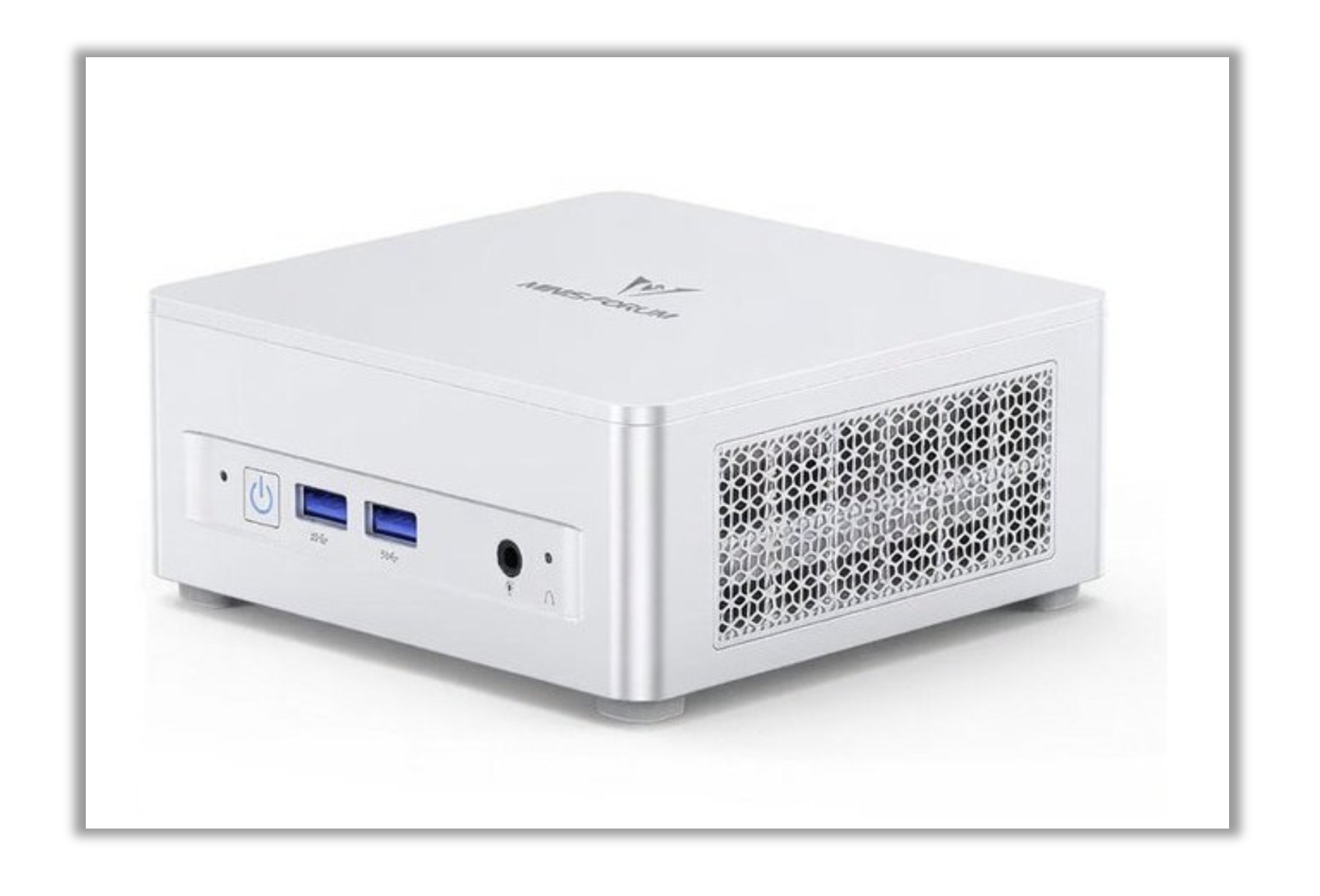
While waiting for it to arrive, I went back through the original posts and wrote a clear set of operating rules, saving them in a file called CLAUDE.md at the root of the vault so every session would read them automatically.
Core Guidelines
- Never delete, move, or significantly restructure anything without explicit approval
- Never create new notes or Maps of Content unless I approve the idea
- Never mark a task “done” until the result has actually been verified
- When something is unclear, ask for clarification instead of guessing
- For anything beyond simple tasks, outline a plan first and wait for approval
These guidelines exist because the output persists. A normal chat can afford to be loose (or relatively wild) because nothing survives the session. A system that edits and maintains files over weeks and months needs stronger boundaries from the start.
How the rules evolved
I didn’t write the perfect rulebook on day one. Several important additions came directly from real problems that appeared while using the system:
- After discovering a backup had fallen behind during active work, I added an automatic post-commit backup hook.
- After overlapping sessions caused confusion, I began using isolated git worktrees and a session log.
- After an important decision slipped through the cracks between sessions, I added a requirement to record tracked decisions directly in their own notes before closing a session.
The rules continue to improve through actual use rather than theory.
Current state
I now have the system running on a dedicated mini-PC with secure remote access from my phone. The AI operates under the rules I defined and is actively maintaining the vault instead of just answering questions in isolated chats. A month ago I had no idea this level of system was realistically achievable. It is now working.
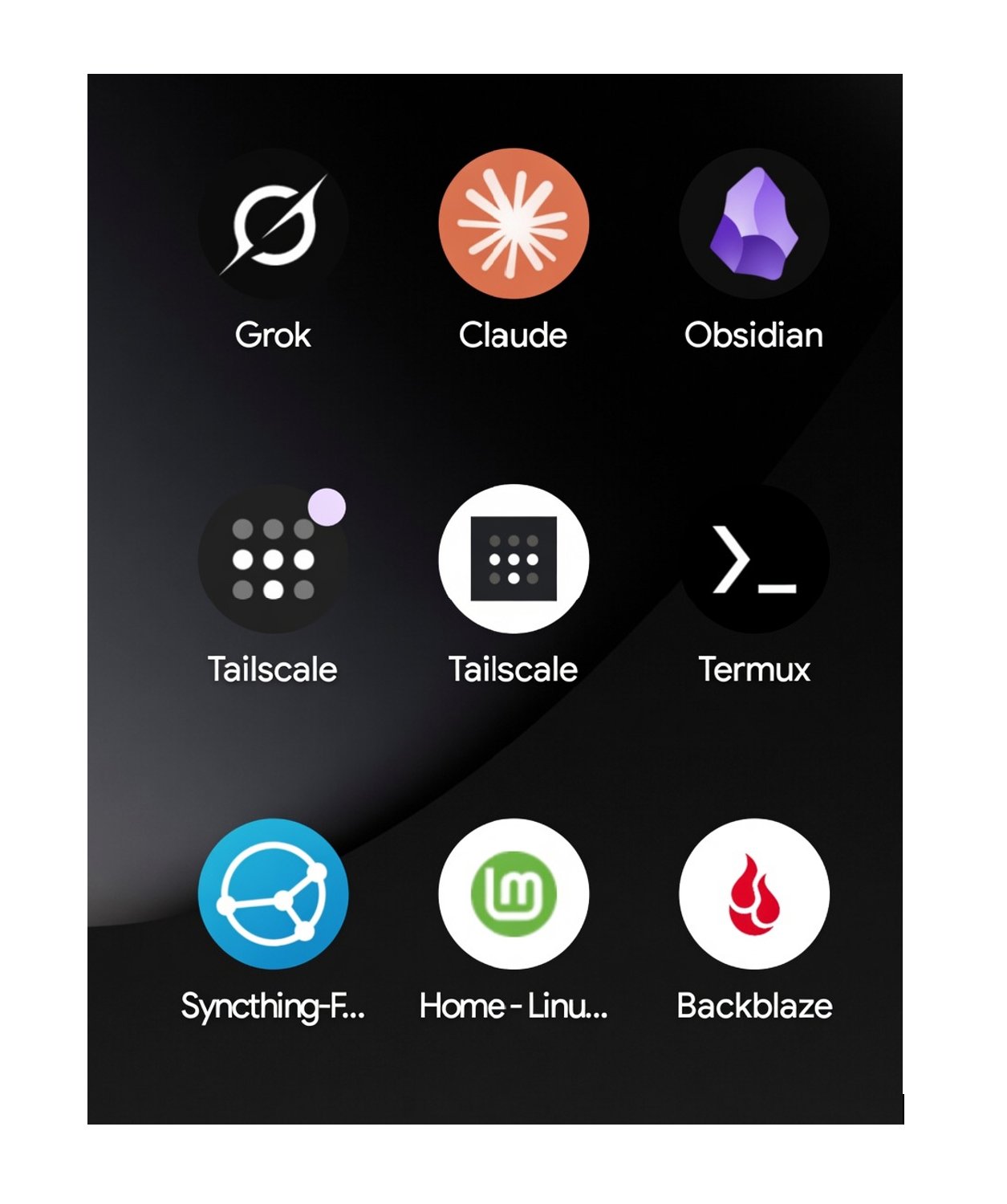
The whole stack, as it sits on my phone. Nine apps, and the system runs from any of them.
What comes next
Part 2 covers the actual hardware I chose and the initial setup steps. Later parts walk through remote access, backup strategy, session management, and the operating principles that have proven most useful in practice.
If you’re considering building something similar and want a practical, working example, this series shows exactly what I built, why I made these choices, and what I’ve learned so far.
I’m happy to answer questions as we go. 73!
Disclosure: The Minisforum UM870 link above is an affiliate link. If you buy through it, I may earn a small commission at no extra cost to you. I only link to gear I actually use. See the affiliate disclosure page for the full policy.
Originally published as an X Article on July 7, 2026.
If this helps you, check out my adblob to support the work.