Why a Mini-PC, Not a Hosted Server
Covers July 16, 2026 · published August 2026
Somewhere around Part 2, a fair question shows up: why run an AI-maintained knowledge system on a mini-PC sitting in my house, instead of renting space in a real data center with professional security and fire suppression? It’s a good question. Here’s how I actually decided — not the tidy version after the fact, but the method itself, since the method is more useful to you than my specific answer.
The method: Benjamin Franklin’s weighted pros and cons
In 1772, Franklin wrote a letter to Joseph Priestley describing what he called “moral or prudential algebra.” The idea, in short: don’t just list pros on one side and cons on the other and count which column is longer. Instead:
- Write out every real consideration on both sides.
- Weigh each one — some considerations matter far more than others.
- Where a pro and a con roughly offset each other in weight, strike them both out.
- Whatever’s left, weighted, is where the decision actually lies.
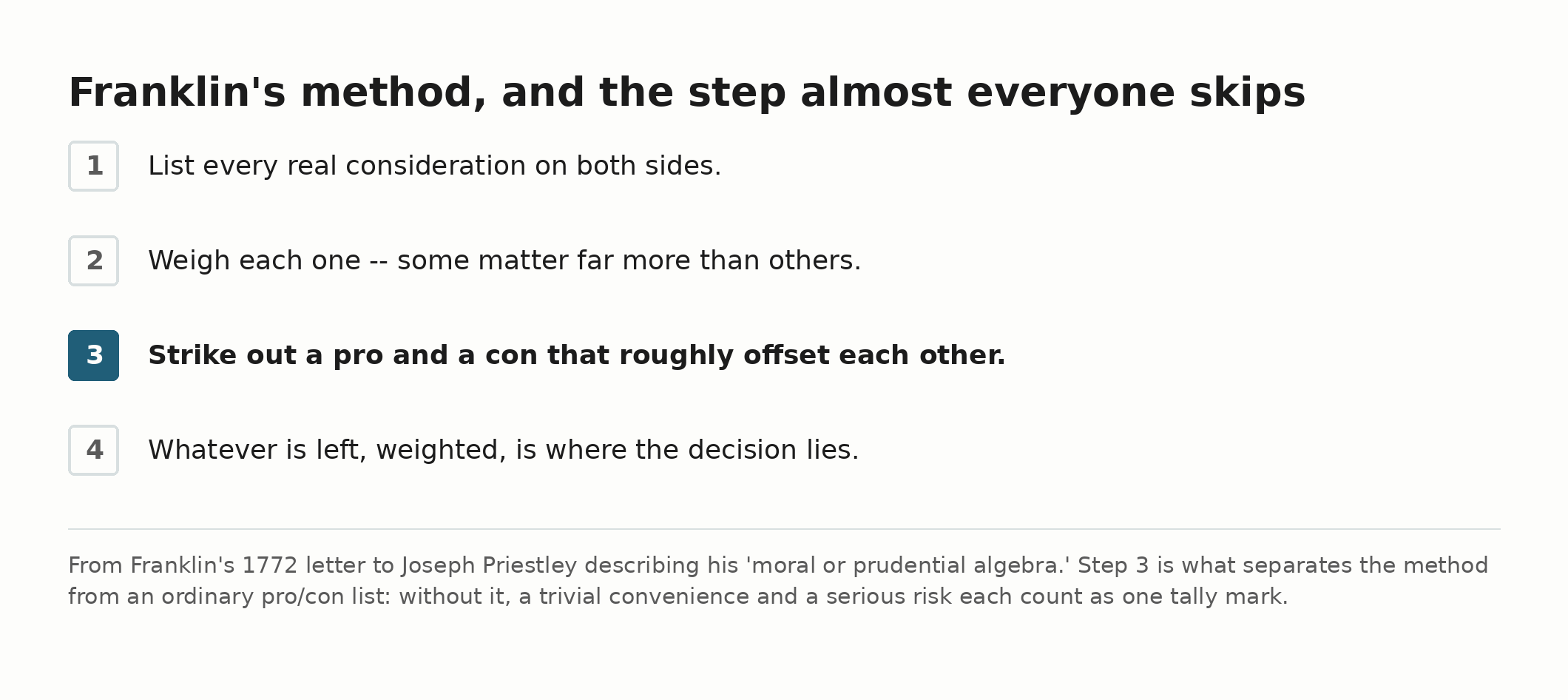
The part almost everyone skips is step 3. A simple pro/con list treats every item as equal, which means a trivial convenience and a business-ending risk get the same one tally mark each. Franklin’s method forces you to admit some things matter more than others, and lets genuinely offsetting factors cancel out instead of padding both columns.
The question: mini-PC at home, or a hosted server?
Both options run the exact same software stack (Linux, Claude Code, the automation) and are reached the same way either way — a private Tailscale mesh network, so remote access is identical regardless of where the box physically sits. The real differences are elsewhere.
| Consideration | Weight | Favors | Why (and where things cancel out) |
|---|---|---|---|
| Data loss from fire/theft | Low marginal difference | Wash | Already solved independent of where the compute sits — three separate backup copies exist (a git remote, live phone sync, and encrypted offsite cloud storage), tested with a real restore drill. A hosted server doesn’t meaningfully improve this; it’s already covered. |
| Facility-grade physical security against theft | Medium | Hosted | Real advantage — badge access and cameras beat a home office. Partially offset: the actual marginal theft risk is already low (a mini-PC has no black-market value as “the AI system,” only as generic hardware), and the disk is fully encrypted at rest regardless of location. |
| Fire protection for the hardware itself | Low-Medium | Hosted | Real, but cheaply narrowed at home too (keep it off anything combustible, don’t treat it as a data-loss risk since backups already cover that side). |
| Surviving an extended power outage while away from home | High | Hosted, genuinely | This is the one real, still-open gap, and it’s worth spelling out exactly how open. The mini-PC needs someone physically present to unlock its encrypted disk after a reboot — a hosted server doesn’t have that problem. I have a $6/month cloud failover, and I checked what it actually does before writing this: it detects an outage within about 15 minutes and alerts me. It does not automatically pick up the work — the automation software isn’t even installed there, by design, so a genuine multi-week outage while I’m unreachable would mean the system stays down until someone with access manually intervenes. Detection isn’t the same as continuity, and I’d rather say that plainly than round it up to “solved.” |
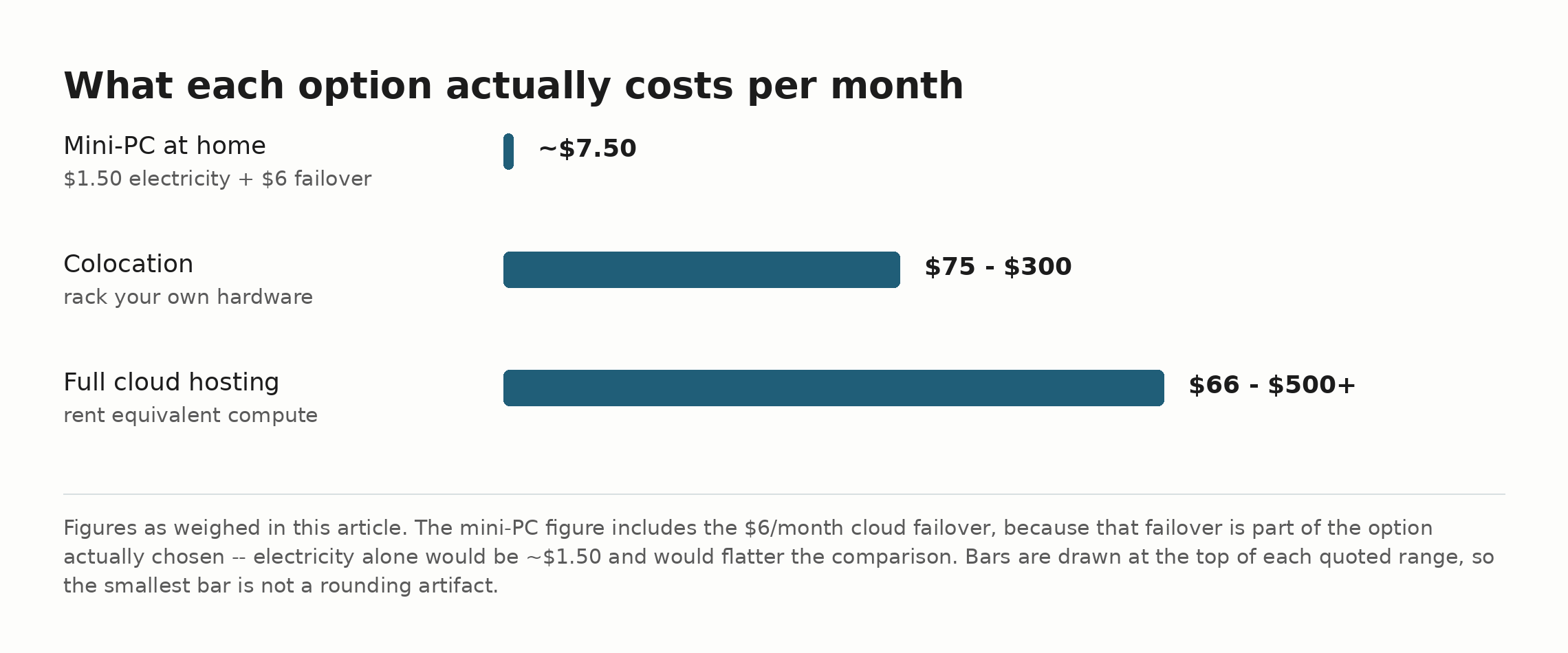
| Monthly cost | High | Mini-PC, strongly | One $699 hardware purchase plus ordinary electricity, versus roughly $66-500+/month for a hosted machine with comparable specs (8 cores, 32GB RAM), depending on how much of the management you hand off. For a system that isn’t profitable yet, this isn’t a rounding error. |
| The actual story being told | High, specific to this project | Mini-PC, strongly | This whole series is about building and running your own system on your own hardware. That’s not incidental — it’s the actual thing being demonstrated. Renting a data-center box would change what’s being shown, not just where it’s hosted. |
| Third-party trust / data sovereignty | Medium | Mini-PC | A hosted provider controls the physical hardware. Even with encryption, that’s a different trust model than owning the box outright — worth weighing, not dismissing. |
| Remote access experience | Negligible | Wash | Identical either way — the mesh network doesn’t care where the node physically is. |
Round 1 verdict
Strike out the wash items (data loss, remote access) — they don’t move the needle either direction. Weigh what’s left: cost and the project’s own story both land heavily on the mini-PC side, with real weight behind them, not just convenience. The extended-outage gap doesn’t strike out — it’s real, and it’s mine to own, not round away.
Round 1 decision: mini-PC, accepting the outage gap as a real, current limitation rather than pretending it’s closed.
That’s where I’d normally stop. I didn’t, on purpose — I went back through it twice more, actively trying to find what the first pass missed, rather than defending the answer I already had.
Round 2: What did I miss?
Two things I’d skipped: I never priced a real alternative between “keep it at home” and “rent an equivalent cloud server,” and I never checked whether “extended outage” was a realistic risk for where I actually live, or just an abstract worry.
A third option I’d missed entirely: colocation. Instead of renting someone else’s hardware, you can pay a data center to rack and secure your own hardware — the same $699 mini-PC, just physically living somewhere with real fire suppression and badge access instead of my closet. Real 2026 market pricing for a single small server: roughly $75-300/month depending on facility and bandwidth. Be careful with that comparison, because the ranges overlap: renting equivalent dedicated cloud compute runs $66-500+/month depending on management level, so at the low end cloud is actually the cheaper of the two. Colocation wins at the high end and on hardware ownership, not on price across the board.
Real electricity cost, not just “cheap”: I looked up the actual idle power draw for this exact mini-PC model — about 8 watts at the wall. Run continuously for a month, that’s under $1.50 in electricity at typical local rates. Not “basically free” as a hand-wave — actually, verifiably, about a dollar fifty.
The outage risk, checked against where I actually live: My power utility’s own average is genuinely reassuring — under one outage a year, averaging about an hour, well inside what my UPS already covers. If I’d stopped there, I’d have downgraded “extended outage” from a high-weight risk to a low one. I didn’t stop there, because an average can hide the case that actually matters. I checked the region’s real hurricane history instead, and it does: a 2020 hurricane knocked out power to over 90% of my utility’s meters, and full restoration took weeks, not hours.
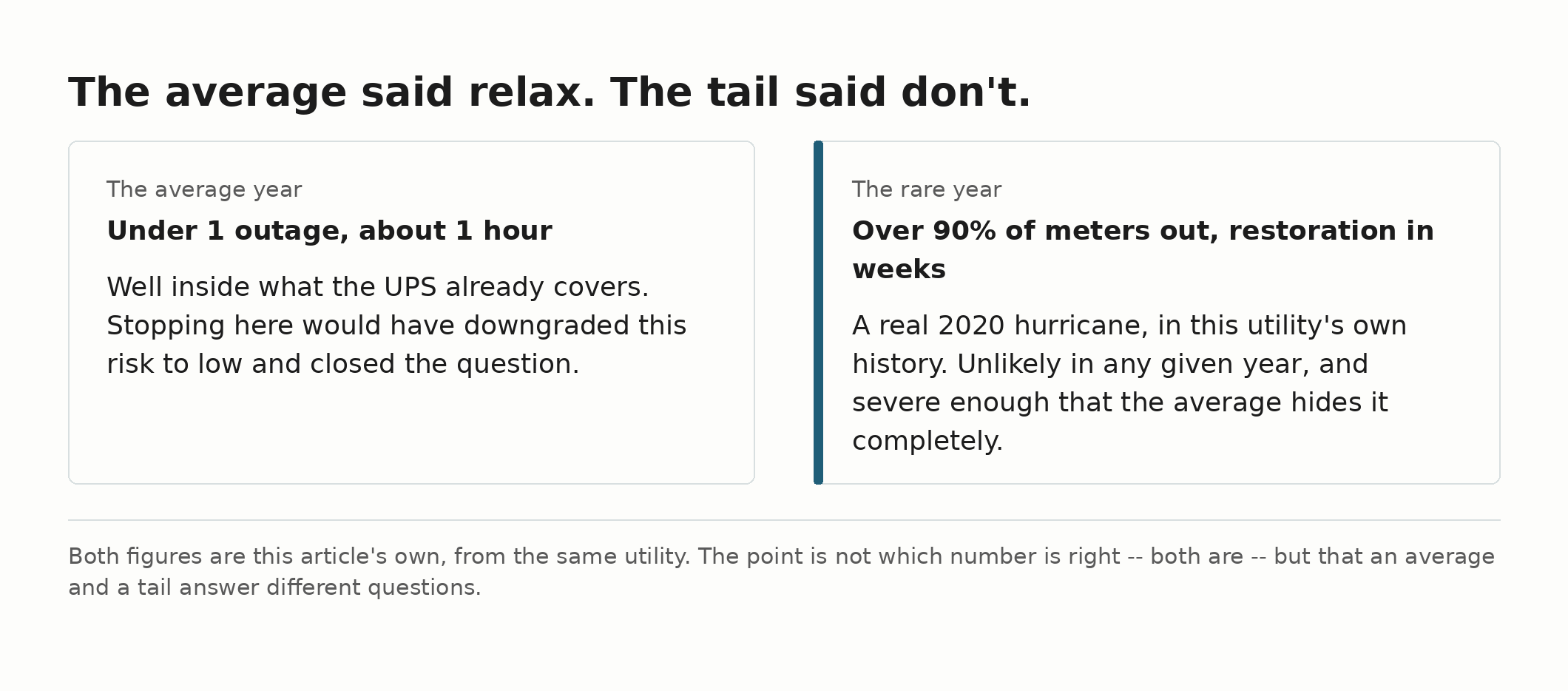
That’s the shape of this risk: not “moderately likely, moderately bad,” but “unlikely in any given year, and genuinely severe on the rare occasion it happens.” Averages would have told me to relax. The tail told me not to.
Round 2 matrix update
| Consideration | Weight | Favors | What changed from Round 1 |
|---|---|---|---|
| Extended outage, average case | Now genuinely low | Mini-PC | New data: under 1 outage/year, ~1 hour average — inside the UPS’s own runtime. Round 1 treated this risk as one undifferentiated “high,” which overweighted the common case. |
| Extended outage, disaster case (hurricane) | High, confirmed not hypothetical | Hosted/colo — if the alternative is genuinely out of the storm’s path | A real 2020 storm caused weeks-long restoration locally. This is the case that actually matters, and it’s real, not a worst-case hedge. |
| Colocation (new option) | High | Splits the difference | Gets real facility security/fire protection for $75-300/month — cheaper than full cloud rental, keeps hardware ownership — but still costs meaningfully more than staying home, and moves the machine out of arm’s reach for routine hands-on maintenance. Worth being explicit that it does not fix the row above: it’s the same encrypted disk, so a reboot still needs someone to unlock it — except now that someone is a stranger on a remote-hands ticket instead of me walking into the next room. Colocation buys fire suppression and badge access, not continuity. |
| Electricity cost | Low | Mini-PC | Confirmed, not assumed: ~8W idle, under $1.50/month. The cost gap against colocation or cloud hosting is even wider than Round 1’s rough estimate suggested. |
Round 2 verdict: the outage risk is more specific than Round 1 gave it credit for — real, regional, historically documented, and severe when it hits, not the vague “extended outage” I’d waved at before. That’s a genuine point against staying purely local. But it’s not automatically a point for colocation or full hosting either — it’s a point for whatever gets me out of the same regional blast radius, and I already own a piece of infrastructure that does exactly that, sitting mostly idle.
Round 3: Stress-testing the one argument I hadn’t actually challenged
Everything above got re-examined except the “story” argument — “this project is about self-hosting, so self-hosting wins.” I’d been treating that as settled. Time to argue the other side properly: doesn’t “I moved it to a real data center for reliability” sound more credible to a skeptical reader, not less? Professional infrastructure is usually the mark of someone serious, not someone who couldn’t be bothered.
That’s a fair challenge, and it would win — for a different project. If this were a paid product promising guaranteed uptime to customers, professional hosting would be the obviously correct call, and no amount of “but I built it myself” would justify skipping it. But that’s not what this series is teaching. The entire premise, stated plainly since Part 1, is that one person can build and run a real AI-maintained system on their own hardware, without needing enterprise infrastructure to make it work. Moving the actual compute to a data center wouldn’t just change where the box sits — it would quietly concede the thing the whole series exists to demonstrate. The steelman is real, and it just doesn’t apply to this specific project’s actual claim.
What does hold up, and hardens rather than softens after two more rounds of trying to break it: the regional-disaster risk is real, and the right answer to it isn’t relocating the hardware — it’s finishing the failover I already own. My VPS cold-failover isn’t colocated locally; it lives in a completely different region, unaffected by whatever happens to the power grid here. It already holds a live, current copy of everything. The only thing standing between “detects and alerts” and “can actually keep running while the primary system is down for weeks” is that the automation software was never installed there. That’s a real project, not a purchase — and it’s the one this whole exercise was actually pointing at from Round 1.
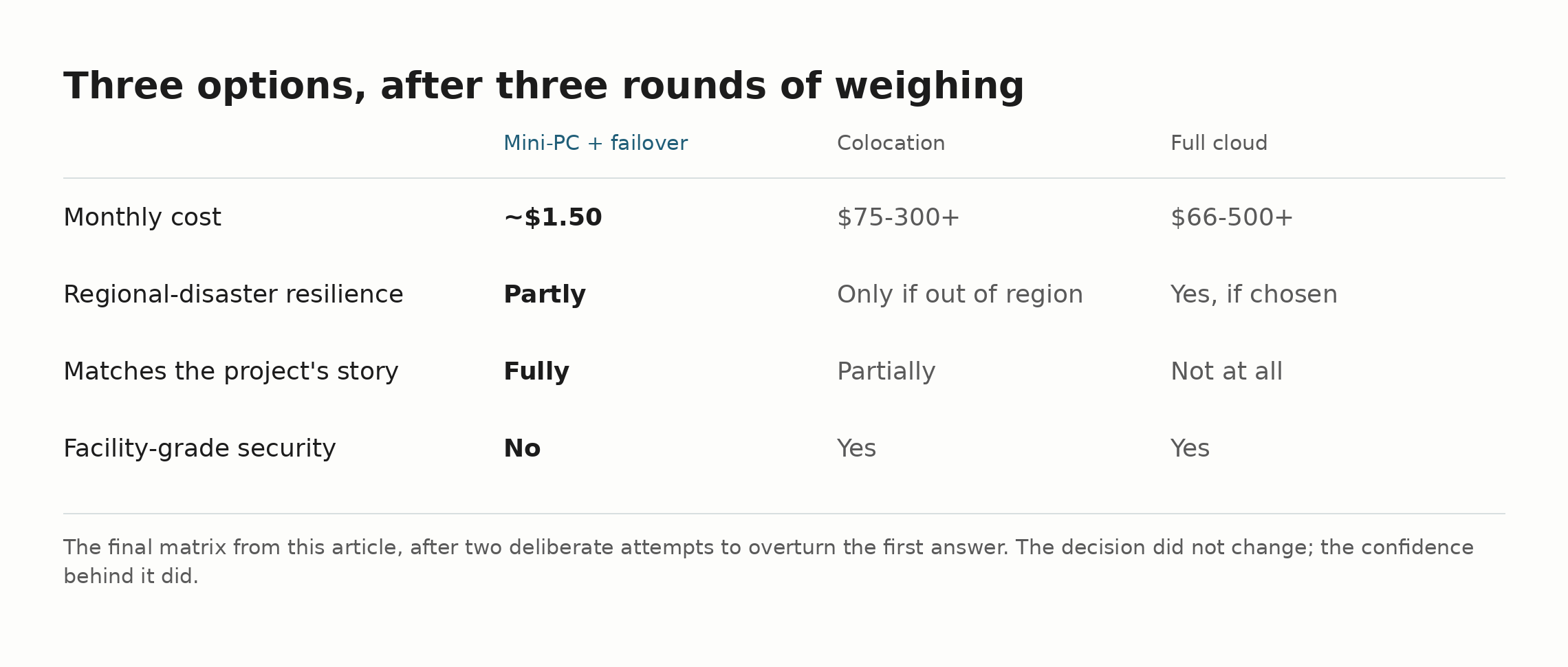
Final matrix, three options, after three rounds
| Consideration | Weight | Mini-PC (+ existing failover) | Colocation | Full Cloud Hosting |
|---|---|---|---|---|
| Monthly cost | High | ~$7.50 to run — $1.50 electricity + the $6 failover, since that failover is part of this option. Plus the $699 hardware, which is ~$19/month if you amortize it over three years, so call it ~$27/month all-in for a fair fight with cloud | $75-300+ (plus the same $699 hardware — you own it either way, so it cancels out against the mini-PC) | $66-500+ |
| Regional-disaster resilience | High | Partly — the failover already lives out of region and can be brought up by hand, but it does not take over on its own | Only if the facility is chosen out of region (not automatic) | Yes, if the region is chosen deliberately |
| Matches the project’s own story | High, project-specific | Fully | Partially (still owns hardware, no longer “at home”) | Not at all |
| Facility-grade physical security | Medium | No (mitigated by encryption + low resale value) | Yes | Yes |
| Requires new engineering work | — | Some — manual activation is built and tested; unattended takeover is not | No — pay and ship hardware | No — pay and provision |
Final decision, after genuinely trying to overturn it twice
Mini-PC, staying at home. Not because the alternatives are bad ideas — colocation in particular is a real, sensible option for a project with different priorities — but because for this project, at this stage, cost and story both carry real weight in the same direction. The one serious risk that could have justified paying to relocate the hardware turns out to be most of the way answered already, by an account I’m already paying for. Most of the way, not all of it — bringing that failover up is still a manual step, and that gap is mine to close rather than something the decision above resolves. And I should say the residual out loud rather than leave it implied, because “manual” is doing a lot of work in that sentence: if a weeks-long regional outage hits while I genuinely cannot reach a keyboard, the system stays down until I get back. That is accepted, not mitigated. It’s the one scenario where the thing I’m relying on and the thing that would fail are the same thing — me.
One more correction, after “final”
Round 3 ended with me saying the next real project was finishing that failover. I sat down to do it and found something better and worse than expected: a full manual activation procedure already existed, built and tested back in July — I’d simply never checked before designing a new one. Worse: while checking, I found the login credential from that original build had quietly sat live and unrevoked for a week, with nothing watching for exactly that. Fixed both — removed the redundant new design, logged out the stale credential, added a real check so it can’t happen silently again.
Nothing about the decision changed. What changed, a third time in one exercise, is that “I’m confident this is handled” turned out to be checkable, and wrong, again. That’s not a flaw in the method. It’s the actual point of running it more than once — not to arrive somewhere different, but to stop trusting your own memory of what you already built.
What three rounds actually bought
The conclusion didn’t change. What changed is why I trust it. Round 1 got the right general shape but treated a real, specific, historically-documented regional risk as a vague “extended outage” line item. Round 2 found a genuine alternative I hadn’t considered and would have missed if I’d stopped early, and it found the actual weight of a risk I’d otherwise have either overstated (if I’d stayed on gut feel) or understated (if I’d stopped at the reassuring average). Round 3 tried to knock down the one argument I hadn’t actually tested, and it survived — but only because I checked the boundary of when it wouldn’t hold, rather than assuming it always would.
If you’re doing this for your own decision: the value isn’t running the matrix once. It’s running it again on purpose, looking specifically for the option and the fact you didn’t check the first time — and being genuinely willing to end up somewhere different if that’s where the weighing goes.
Try this right now
Take one decision you already feel settled about — a tool you picked, a subscription you kept, a piece of hardware you bought — and write down the single argument in its favor that you never actually challenged. Just that one sentence. If nothing comes to mind, you haven’t looked yet; if something does, you’ve just found the part of that decision you’ve been trusting on faith. That’s Round 3, and it takes about five minutes.
If this helps you, check out my adblob to support the work.