Keep an Explicit "Needs a Desktop" List
July 2026
The rule: anything blocked on a specific device, place, or physical step goes onto a written list the moment it’s found — with enough detail that doing it later requires no thinking, only hands.
Why
Some work can’t be done from wherever you are. That’s a fact of any system that touches the physical world or a graphical interface, and it isn’t a problem by itself.
The problem is rediscovery. Without a list, blocked work gets found at the moment you want it done, forgotten during the hours you’re away from the machine, and then re-derived from scratch the next time it surfaces. The thinking gets done two or three times and the task gets done once — if it gets done at all.
There’s a quieter failure underneath that one. Work that’s blocked on presence tends to feel like it isn’t really pending. It didn’t get refused or deprioritized; it just got postponed, invisibly, by geography. Those items don’t show up in any queue, so they don’t get counted, and a backlog you can’t see is a backlog you can’t manage.
What it cost us
The article this section was built around had a missing affiliate disclosure — a real compliance gap on a published piece, requiring a change our own rules already mandated. It was found on a phone in the morning. The platform has no update API, so the fix needed a desktop. Total work involved: pasting one sentence.
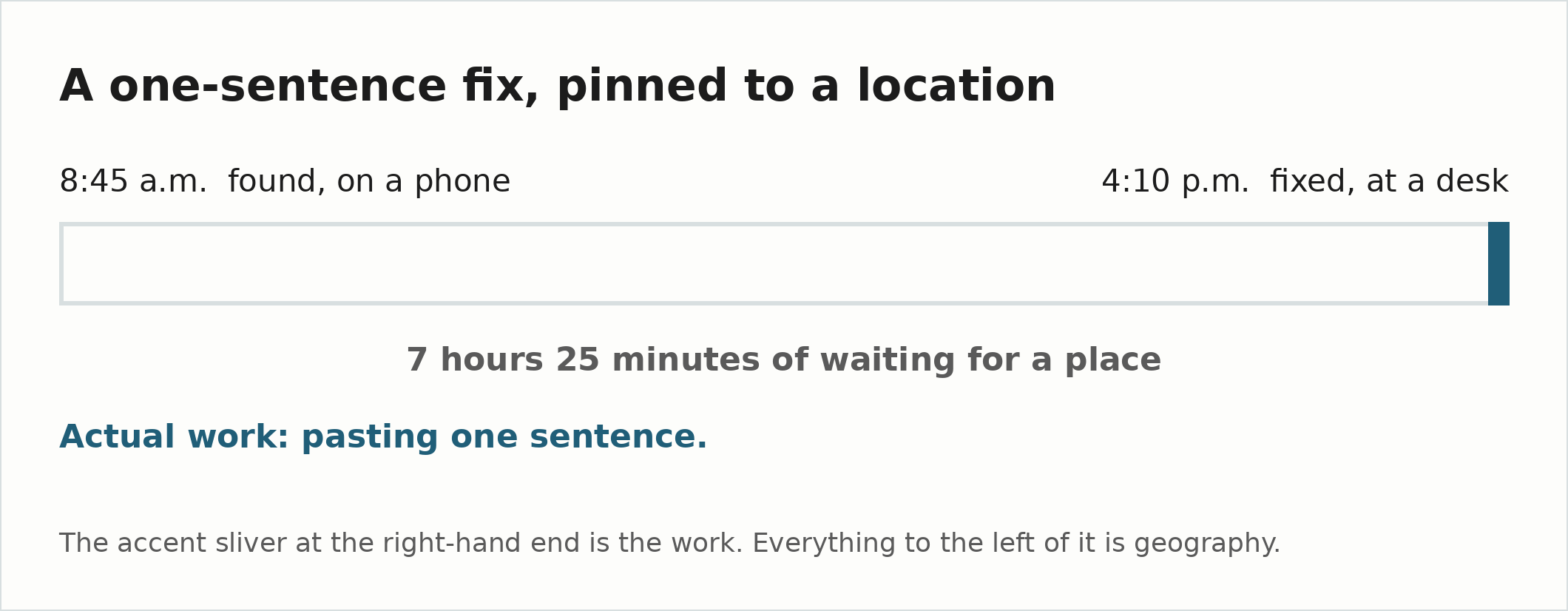
Seven hours and twenty-five minutes. The accent sliver is the work.
That item existed for several hours in exactly one place — a conversation. Had that conversation ended, the finding would have had to be made again from scratch: re-pull the article, re-check it against the checklist, re-derive the wording. The discovery cost far more than the fix, and nothing was protecting it.
How to apply it
- Capture at the moment of discovery, not at the moment of doing. The instant something turns out to need a desk, a specific machine, or physical access, write it down before moving on.
- Write the answer, not the problem. “Add a disclosure to the X article” is a task you have to reconstruct. The finished sentence, ready to paste, is a task you just do. Front-load the thinking into the note.
- Put it where you already look. A dedicated new list is one more thing to check. This belongs in whatever board or backlog you actually open — tagged so a device-blocked batch is easy to pull out when you’re finally at the machine.
- Batch it deliberately — but not everything. Blocked items are cheap in aggregate and expensive one at a time. Getting to the desk is the real cost; once you’re there, ten of them cost barely more than one.
- Compliance and accuracy items don’t go in the batch. A missing disclosure, a wrong figure, a privacy problem — for those, what matters isn’t the minutes of work, it’s the hours the wrong thing stays public. Batching is a labour optimisation, and it’s the correct one for cosmetic and structural work; applying it to something that’s actively wrong on a live page optimises the cheap resource at the expense of the expensive one. Mark those on the list as their own class and make the special trip. The example this entry is built on was one of them, and seven hours was too long even though the work was one sentence.
The general form
Never let a constraint of place erase a piece of work. If it can’t be done now, it gets written down now — completely enough that “later” costs nothing but hands.
Try this now
Add one line to whatever board or backlog you already open every day, tagged so you can filter it: needs a desktop. Then, the next time something turns out to be blocked on a place rather than on a decision, put it there instead of holding it in your head. The list earns its keep the first time you sit down and find two items waiting instead of none.
This entry came out of The Bottleneck Is Also the Inspector, which is where that seven-hour timeline comes from. Treat a Graphical-Only Surface as Terminal is how you end up with items on this list in the first place.
If this helps you, check out my adblob to support the work.